
Disney Photography Tips: Get the Best Photos with Your Smartphone
Please note, this post may contain affiliate links. Visit Devine Fairytale’s Disclosure Policy for more details.
Capturing all of your special memories at Disney is SO important! My friend Stacy Canzonieri is a talented family photographer and she has put together some helpful tips for you to take the best Disney photos with your smartphone on your next vacation! Keep reading to find out her Disney photography tips.
You’ve packed the kids’ suitcases – remembered to include their favorite stuffed animal, books, and snacks for the plane, chargers, headphones, sneakers for walking around the park, flip flops for the pool, a sweatshirt for those cool nights … did I forget anything? Oh wait, a camera!
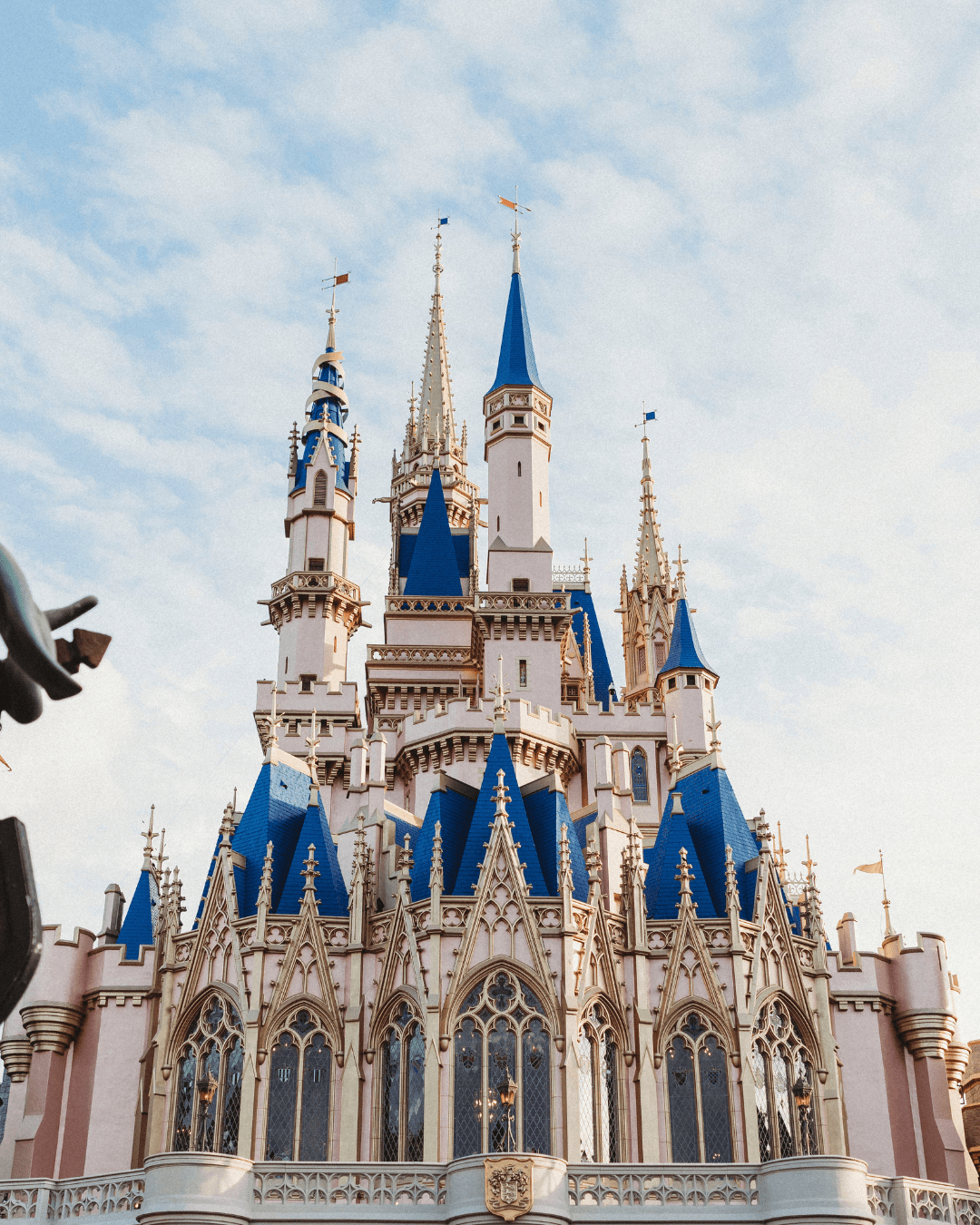
You can’t hop on a plane to Disney without a camera. How are you going to remember all those magical moments without proof that they happened? The good news is you don’t really have to think about it anymore, right? You’ve got a camera in your back pocket at all times. Smartphones have made it so much easier to capture special moments. Disney can be overwhelming though. There are a ton of photo ops! How the heck are you supposed to manage it all and still be present with your family?
Disney Photography Tips for Your Vacation
A Disney vacation is a magical experience, filled with moments that you’ll want to remember forever. Capturing those moments with your smartphone can be both convenient and rewarding. With a few simple tips and tricks, you can take stunning photos that capture the magic of your Disney adventure. Here are some essential Disney photography tips to help you make the most of your smartphone camera.
MAKE A Shot LIST
Before you even set foot in a Disney park, a little planning can go a long way. Knowing where you want to go and what you want to photograph can save you time and help you get the best shots. A shot list gives you the chance to think about the moments you really want to capture. What are some things you’re looking forward to about your trip? Do your kids have a favorite character? Are they really into rides? Will you be there with other family or friends? Think about what images will be most important to you and your family after the vacation is over.

FIND THE SHADE
If you’ve got an early morning planned at Magic Kingdom (or any of the parks really), that might be the best time for some posed photos. The sun is still pretty low in the sky and the crowds aren’t as big. Plus, it’s not as hot so there’s less chance for cranky kids! One of my best Disney vacation photo tips is to find shade when you can for even lighting in your pictures. You won’t always be able to, but it’ll make a huge difference when you can.
KNOW HOW TO AVOID CROWDS IN YOUR PHOTOS
Crowds can be a challenge when trying to get a clean shot. Visit popular locations early in the morning or late in the evening when the parks are less crowded. You can also use angles and framing to minimize the appearance of other guests in your photos. One way to make it look like there are fewer people in your photos is to crouch down and shoot from a lower angle. In fact, trying a bunch of different angles will instantly create more interesting photos. You don’t want all of your Disney photos to look the same. You can also look for empty corners or pockets of space that have no crowds. They’re out there, I promise!

CLEAN YOUR CAMERA Lens
One of the simplest yet most effective Disney photography tips is to clean your lens regularly. Your smartphone spends a lot of time in your pocket or bag, which can cause the lens to get smudged. Having a small microfiber cloth in your park bag would be great to keep your camera lens clean throughout the day.
TURN ON LIVE PHOTOS
When Live Photos is turned on, your iPhone records a quick video (1.5 seconds) before and after you take a picture. At the end of our trip you can put some of your favorites together and create a video. All you have to do is select your favorite Live Photos, click the 3 dots in the bottom right corner, and choose ‘Save as Video.’ Voila! Your own Disney movie clip. This way you’ll have both photos and videos of your Disney vacation memories without going through the trouble of trying to shoot both at the same time. This is one of my favorite Disney World photography tips!
Master Your Smartphone Camera Settings
Your smartphone is a powerful tool, but understanding its capabilities and settings is crucial for taking great photos. Familiarize yourself with the different modes and features available on your device. HDR (High Dynamic Range) mode can enhance your photos by balancing the light and dark areas, resulting in more detail and vibrant colors. This is especially useful for high-contrast scenes like Cinderella Castle against a bright sky or a character in a shaded area. Enabling grid lines will help you compose your shots using the rule of thirds, which can make your photos more visually appealing. Most smartphones have an option to enable grid lines in the camera settings.
DON’T FORGET THE Disney DETAILS
One of the things people overlook are the little Disney details. We get so caught up in the character moments and posed shots, that it’s easy to forget about the little things. Disney parks are filled with intricate details and hidden gems. Don’t just focus on the big picture; take the time to capture the small, magical elements that make Disney so special. Take photos of the buildings, the food, new souvenirs…all of it.
Capture Candid Moments
Document how it feels to be at Disney. The excitement and wonder along with the meltdowns (because that’s part of it too!). These unplanned shots often tell the best stories and capture genuine emotions. Photograph interactions between family members, friends, and characters. These interactions are often filled with genuine smiles and laughter, creating memorable and meaningful photos.

TELL SOMEONE What’s Important to You
Once you’ve got your list of must-have shots, tell someone about it. Let your spouse, a friend, or a family member know what photos are important to you and that you might need some help wrangling the kids. If your kids are old enough to understand, tell them too! Tell them how special it will be to have these memories to look back on when they’re grown. Memories that show who was there, what their hotel room looked like, the rides they went on, all the Mickey-shaped food they ate!

GET EVERYONE IN THE PHOTOs
While it’s important to capture all the magical moments around you, don’t forget to include yourself in the photos. Make sure you’re showing up in the memories you’re working so hard to create. Even if you just turn the camera around and take a selfie, you deserve to be in photos too.
Most smartphones have a timer feature that allows you to set a delay before the photo is taken. Set your phone on a stable surface, activate the timer, and join in the shot. You could also use your Apple Watch or a Bluetooth remote to control the shutter from a distance. Don’t hesitate to ask someone to take a photo of you and your group in a place that doesn’t easily allow you to prop up your phone. People are usually happy to help, and this way, you can get everyone in the picture.
Utilize Disney’s Memory Maker
Disney Memory Maker is a fantastic paid service that can complement your smartphone photography efforts. Professional photographers are stationed throughout the parks and can capture high-quality photos of your group. Find Disney PhotoPass photographers throughout the parks and resorts to take group shots and capture special moments, but continue to take your own photos as well. This way, you’ll have a mix of professional and candid photos from your trip. After your trip, you can download your images and share them along with your own photos.

Disney Photography Tips for Editing Photos
More than likely you’ll come away with a ton of photos from your Disney vacation. Here are some tips to keep your camera roll under control so you don’t feel so overwhelmed. Editing your Disney photos is an essential step to ensure they look their best and to create a lasting memory of your trip. Here are some Disney vacation photo tips for editing your photos!
DON’T WAIT UNTIL YOU’RE HOME
Do yourself a favor and curate your photos on your smartphone before you get home. At the end of each day, take some time to go through the photos you’ve taken. This will help prevent the overwhelming task of sorting through hundreds of photos after your vacation when you’re back to your real life.
DELETE DUPLICATES AND BLURRY PHOTOS
Go through your photos and delete any that are duplicates or blurry. This will make it easier to find the best shots and keep your photo library organized. Keeping only the best photos will also save storage space on your device. If there are several photos taken of the same thing, just select one or two favorites. This is the easiest place to start editing your Disney vacation photos on your smartphone.
EDIT YOUR PHOTOS
When it comes to editing, keep it simple. Most smartphones come with built-in editing tools that are easy to use. Start with basic edits such as cropping, straightening, and adjusting brightness and contrast. These simple tweaks can make a big difference in the quality of your photos. For more advanced editing, consider using the Lightroom Mobile app. This offers a range of editing tools and allows you to make precise adjustments to your photos.
You can also purchase presets online, that already have the editing features set. Simply apply the preset to your photos in the Lightroom app. You may still have to make a few adjustments, but it’s really helpful and saves a lot of time. Plus, it will help your photos look cohesive if you’re using similar editing styles!
CREATE AN ALBUM
Organize your edited photos into an album on your phone. This makes it easy to find and share your favorite shots. It’s nice to have an album on your phone to easily access your Disney vacation photos. Creating albums for special occasions or vacations will help keep your camera roll more organized.
Print Photos or Create a Photo Book
Printing your photos or creating a photo book is a great way to preserve your Disney memories. There are many online services that make it easy to design and order prints or photo books. This allows you to share your trip with family and friends and have a tangible keepsake to look back on. There’s something special about being able to flip through an album of images – something your kids can hold in their hands
Stacy Canzonieri is a New Jersey family photographer, mom of 3 girls, and creator of The Memory Keepers Club. She loves teaching other moms simple and fun ways to get in more photos with their kids and capture their everyday life with creativity and intention. She’s also Disney-obsessed and can’t wait for the next trip to the Happiest Place on Earth!
With these Disney photography tips, you’ll be well-equipped to capture the magic of your Disney vacation with your smartphone. Remember to plan ahead, master your camera settings, and embrace the candid moments. Most importantly, have fun and enjoy the experience. Your photos will serve as a wonderful reminder of the magical moments you shared at Disney.

