
How to Use iPhone’s Apple Maps Guide for Effortless Travel Planning
Please note, this post may contain affiliate links. Visit Devine Fairytale’s Disclosure Policy for more details.
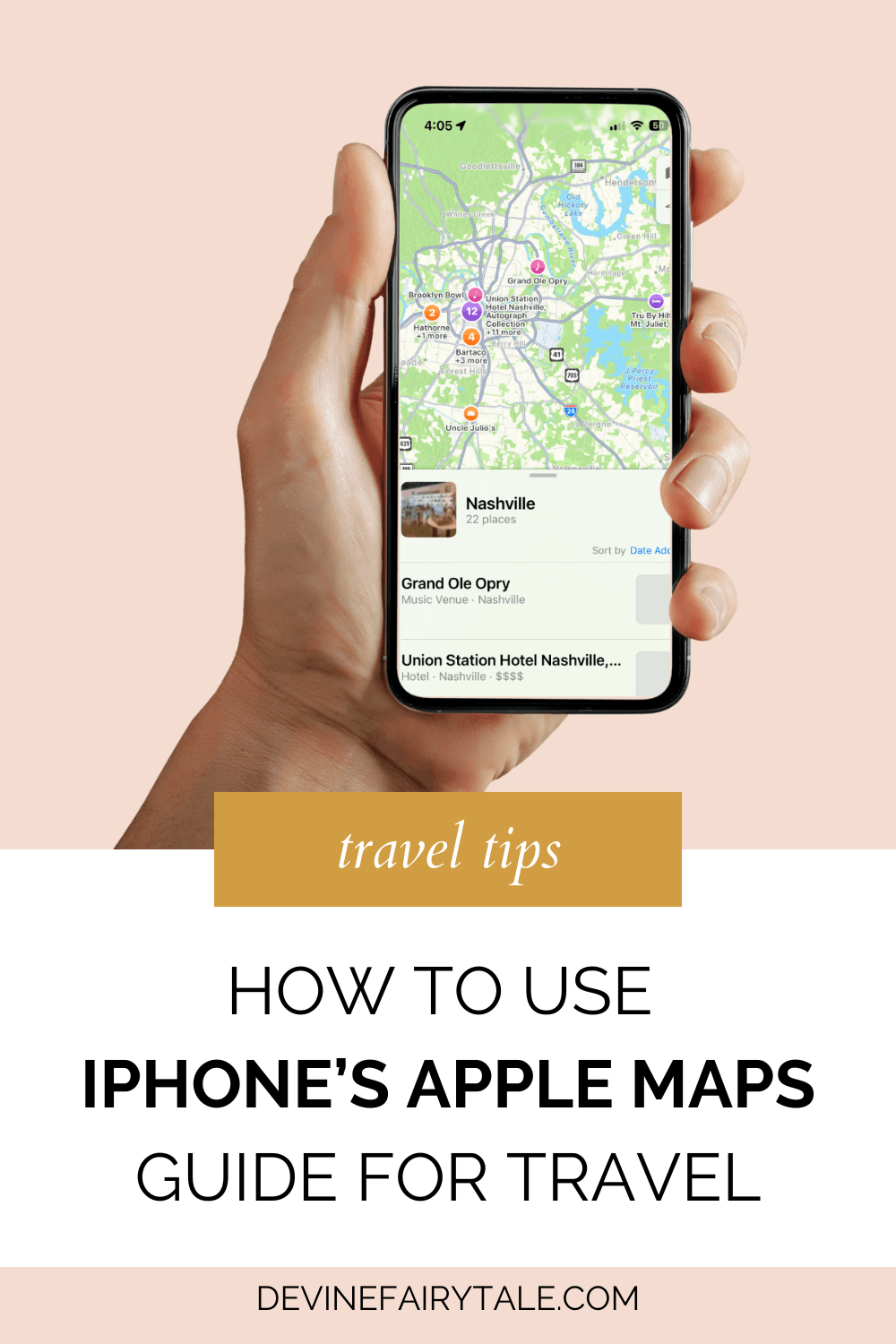
Planning a trip is always exciting, but sometimes it can feel like too much. Between researching places, bookmarking links, and juggling different apps, organizing your travel can quickly become overwhelming. That’s where the Apple Maps Guide on your iPhone comes in to save the day. This simple but powerful feature helps you plan smarter by letting you discover curated spots, build personalized itineraries, and keep everything organized in one place.
Whether you’re prepping for a quick weekend getaway or mapping out a dream vacation, Apple Maps Guide makes travel planning easier, more enjoyable, and beautifully streamlined.

What Is the Apple Maps Guide?
Apple Maps Guide is a feature inside the Maps app on your iPhone that lets you discover and organize places. It works like a digital travel journal where you can save recommendations from trusted sources or build your own lists of favorite spots. Whether you’re dreaming of delicious dining, the best local coffee shops, or must-visit attractions, this tool lets you collect everything in one easy-to-access place.
You can choose from curated guides created by brands like Lonely Planet, or you can create your own custom guide to suit your exact travel needs. Either way, everything syncs across your Apple devices, making it easy to access your plans anytime, anywhere.

Exploring New Places with Apple Maps Guide
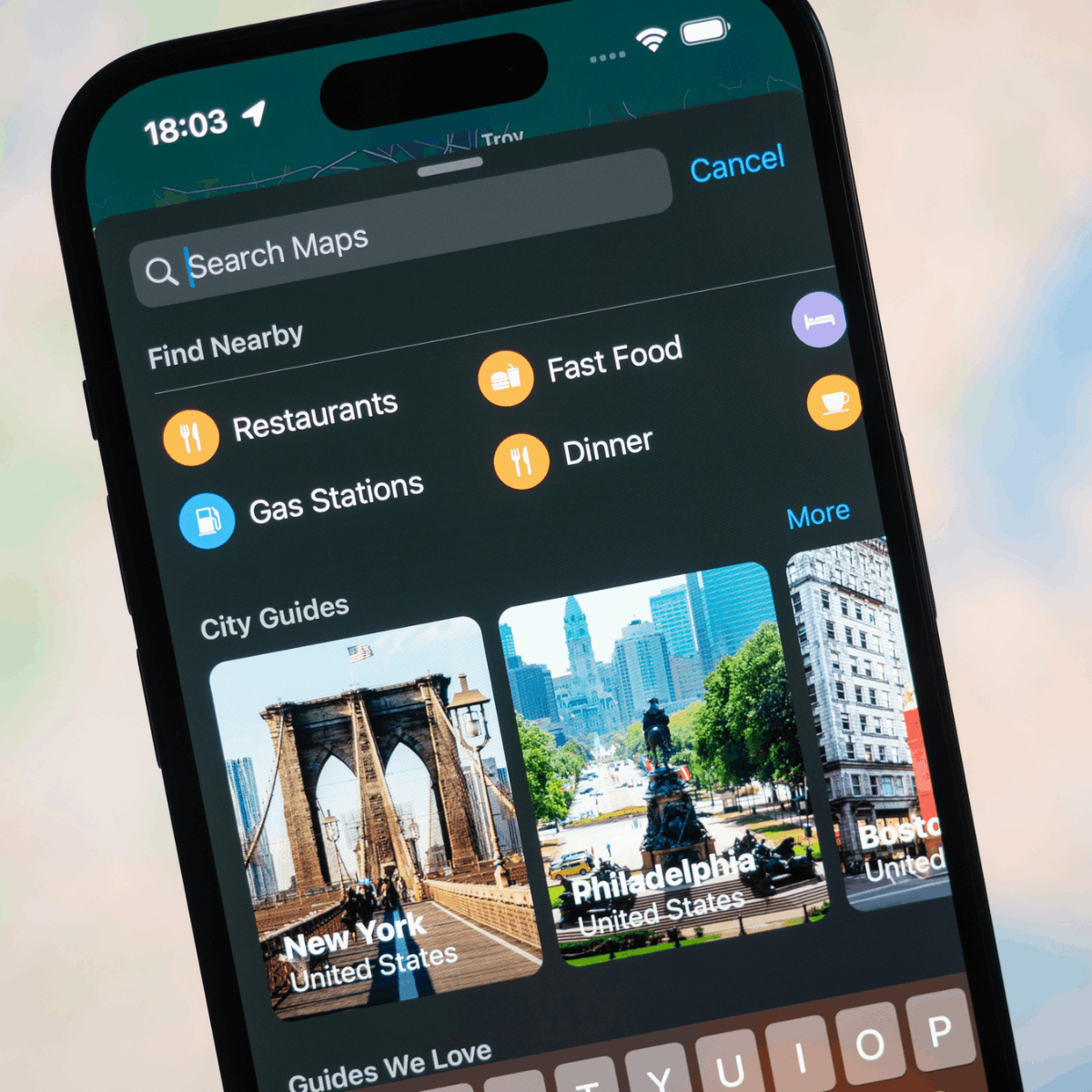
One of the best things about using Apple Maps Guide is that you don’t have to start from scratch. When you search for a location in the Maps app, scroll down and look for the “Guides” section. Tapping “Explore Guides” opens up a world of curated suggestions.
You’ll find themed collections based on cities, categories, and experiences. Some guides focus on local food scenes while others spotlight hidden gems, top-rated shops, or scenic spots worth visiting. These collections are created by people who know the area well, which means you can trust the recommendations to give you a solid starting point for your trip.
If you’re heading somewhere new and want to explore like a local, start with one of these curated Apple Maps Guides. It saves time and helps you uncover places you may not find in a quick Google search.
How to Save a Guide to Your iPhone
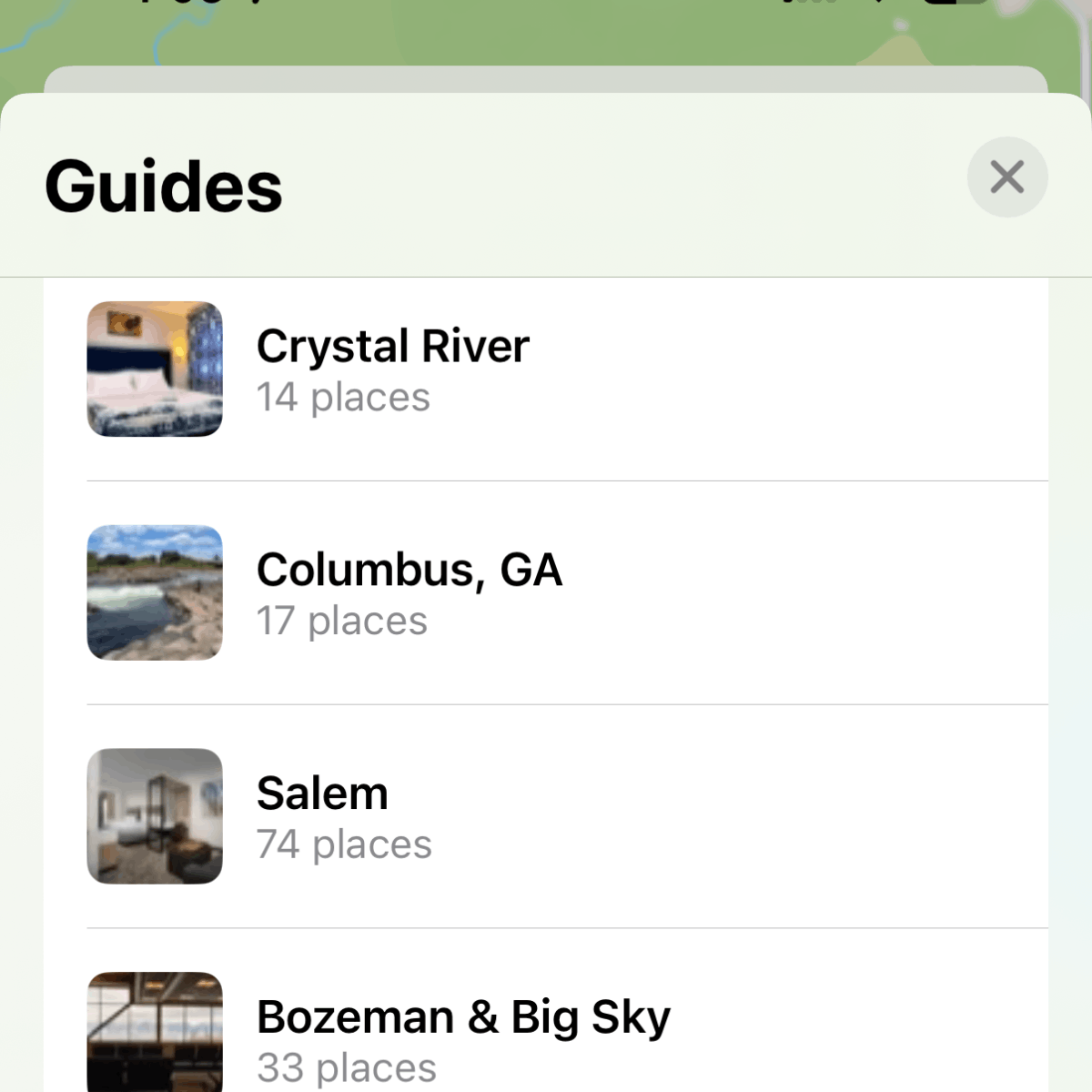
Once you find a guide that catches your eye, saving it is simple. Just tap the plus icon, and that guide will be added to your personal library in the Maps app. You’ll find it under the “My Guides” section.
What makes this feature especially helpful is that once a guide is saved to your phone, you can access it even if you don’t have a strong internet connection. That means when you’re out exploring a new city, you don’t have to worry about losing access to your plans. Everything is right there, waiting for you.
You can also revisit these saved guides as often as you like. They’re perfect for planning ahead or for making decisions on the go.
Creating Your Own Apple Maps Guide
While curated guides are great for inspiration, sometimes you need something more personal. That’s where the option to create your own Apple Maps Guide comes in handy. This feature is perfect for organizing your own list of must-see spots and keeping your itinerary exactly how you want it.
Start by searching for a place in the Maps app. Once you’ve found the spot you want to add, tap the More icon, it looks like three dots in a circle, and select “Add to Guide.” From there, you can choose an existing guide or create a new one.
Give your new guide a title, choose a cover photo that matches the vibe of your trip, and start adding your favorite places. You might include your hotel, restaurants you’ve bookmarked, attractions you don’t want to miss, or even that cute bakery you saw on TikTok. The process is quick, and your custom guide can be as detailed or as simple as you like.
Creating your own guide also helps you stay focused. Instead of jumping between apps or tabs to remember where you wanted to go, everything is organized in one place. It’s like having your itinerary right in your pocket.
Stay Organized While You Travel
Keeping travel plans organized can feel overwhelming, especially if your trip includes multiple destinations, restaurants, and activities. With an Apple Maps Guide, you can easily edit your list, remove places, or rearrange your saved spots to match your schedule.
Although Apple doesn’t yet allow you to manually drag and reorder the guides in your library, the app sorts them by the date they were last updated. This still makes it easy to keep track of what’s most relevant.
If you’re planning multiple trips or visiting different cities on one journey, you can create separate guides for each one. Try naming your guides clearly, like “Spring Break in Charleston,” so you always know which one to open. It’s a small habit that makes a big difference when you’re juggling multiple plans at once.

Share Your Travel Plans with Friends and Family
Travel is better when shared, and Apple Maps Guide makes it easy to coordinate with others. Whether you’re planning a family vacation or a girls trip, you can share any of your guides with just a few taps.
Send your guide through Messages, AirDrop, or email. Everyone you share it with will be able to see the same list of places, complete with names, details, notes, and directions. It’s perfect for keeping everyone on the same page without having to send long text threads or screenshots.
This is especially helpful for group trips where different people want to explore different things. You can build one central guide with everyone’s must-do activities and let each person pick and choose where they want to go.
Traveling is so much easier with the right gear and I’ve got you covered! Check out my Amazon favorites for all the best travel essentials—from gadgets to keep you organized to comfy must-haves for long flights.
Use Apple Maps Guide on All Your Apple Devices
One of the best features of Apple Maps Guide is its seamless syncing across Apple devices. If you’re someone who likes to research on a bigger screen, you can create or edit your guide on your Mac or iPad and then access it from your iPhone while you’re on the go.
There’s no need to worry about manually transferring your plans between devices. As long as you’re signed in with the same Apple ID, your guides will be ready wherever you need them.

Tips for Making the Most of Apple Maps Guide
To get the most out of your guides, make it a habit to check for updates before you travel. Curated guides are often refreshed with new recommendations, and you might discover something that wasn’t there the last time you looked.
You can also make your guides more useful by adding personal notes. For example, if a restaurant only accepts reservations or a spot has limited parking, jot that down in your guide so you’ll remember later.
And don’t be afraid to use a mix of curated and custom guides. Start with a curated list for inspiration, then build your own guide based on what catches your eye. That way, you’ll have a balance of expert suggestions and personal favorites all in one place.
Traveling soon? Don’t miss a beat with the Ultimate Pre-Travel Checklist! It’s packed with all the important things to do before your trip—like confirming reservations, prepping your home, and more. Download it for free and make sure you’re fully ready for takeoff!
iPhone’s Apple Maps Guide FAQs
- Can I use Apple Maps Guide offline?
- Yes, once you save a guide to your device, it remains available even if you don’t have an internet connection.
- Are curated Apple Maps Guides available everywhere?
- Many major cities offer curated guides, especially in popular destinations.
- Can I share my custom Apple Maps Guide with others?
- Absolutely. You can share any guide via Messages, AirDrop, or email, and your friends will be able to view the full list.
- Will Apple Maps automatically give me directions to all the places in my guide?
- Not yet. You’ll need to tap each location individually to get directions.

Final Thoughts
Travel planning doesn’t have to be stressful. With Apple Maps Guide, you can create organized, beautiful guides that help you make the most of every trip. From discovering local gems to planning full itineraries, it’s one of the best tools available for iPhone users who love to explore.
Whether you’re setting off on a road trip with friends or a relaxing beach retreat, the Apple Maps Guide helps you keep everything you need right at your fingertips. It’s flexible, easy to use, and built to support how you travel.

